


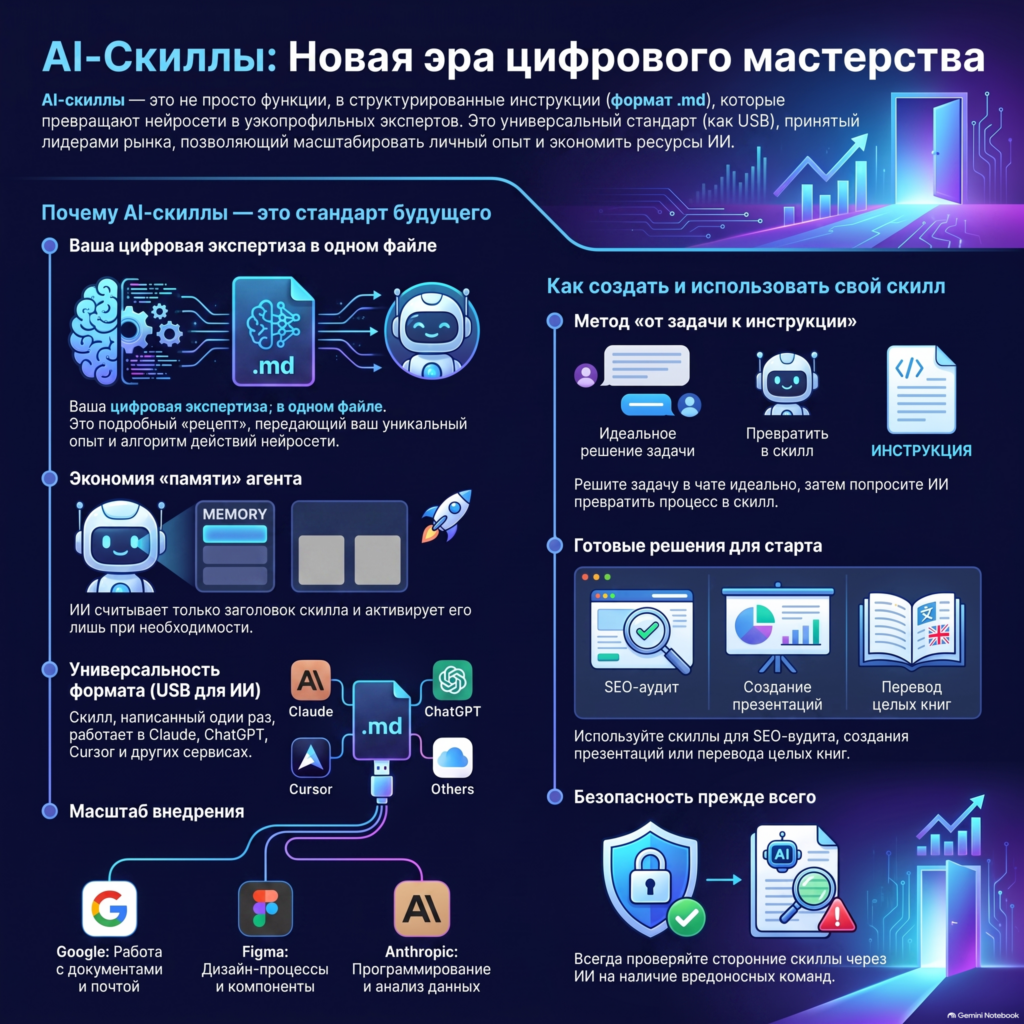
Prompt engineering is not disappearing, but it is no longer the main way to control AI. Instead of long instructions that must be pasted and corrected again and again, companies can package workflows into AI skills — structured sets of rules, templates, examples, and tools.
The main change is not a new file format, but an approach. The user no longer tries to “negotiate” with the neural network every time. They create a repeatable process that an AI agent can apply to suitable tasks.
Why prompts alone are not enough
A prompt works well for a one-off task: writing an email, creating a table, or suggesting a presentation structure. Problems begin when the process needs to be repeated regularly.
Requirements gradually accumulate in a long instruction:
- formatting rules;
- sequence of actions;
- list of allowed sources;
- output templates;
- exceptions and restrictions;
- final review criteria.
Such a prompt becomes difficult to maintain. Employees use different versions, important requirements get lost among the details, and the result depends on how well the next request is phrased.
An AI skill solves this problem by separating a permanent work methodology from a specific task.
What is an AI skill
According to the open Agent Skills specification, a skill is a separate folder that must contain a file SKILL.md. It specifies the name, description, and instructions for the agent. The folder can also contain scripts, reference materials, templates, and other resources.
The minimum structure looks like this:
my-skill/
├── SKILL.md
├── scripts/
├── references/
└── assets/
The file SKILL.md explains to the agent when to use the skill and how to perform the corresponding work. Scripts automate repetitive operations, reference files contain detailed rules, and templates define the required output format.
Practical questions of installing and using such packages are covered separately in the guide “Skills and Plugins in Codex: how to choose, install, and use them in your work”.
How a skill differs from a regular prompt
| Criterion | Regular prompt | AI skill |
|---|---|---|
| Purpose | One task or one conversation | Repeatable class of tasks |
| Components | Text instruction | Instructions, templates, references, and scripts |
| Maintenance | Manual edits in different versions | A single folder that can be versioned |
| Output control | Depends on the wording of the request | Can include checks and completion criteria |
| Sharing with the team | Copying prompt text | Sharing an entire workflow |
Skills do not eliminate prompts, however. The user still formulates a specific task, but permanent rules no longer need to be repeated in every request.
How skills save an AI agent's context
One of the key ideas of the format is progressive context disclosure. The agent does not have to load all instructions at once.
The process can be divided into three stages:
- Discovery. The agent sees the name and short description of an available skill.
- Activation. If the request matches the description, the agent loads the main file
SKILL.md. - Execution. Additional references, templates, and scripts are used only when they are truly needed.
This approach makes it possible to keep different professional processes available without placing their full description in every conversation. The relationship between Skills, routing, and the context window is discussed in more detail in the article on AI agent context management.
How to turn company experience into a skill
The most valuable source for creating a skill is not a generic instruction from the internet, but an already working company process.
1. Choose a repeatable task
Start with a process that is performed regularly and has a clear outcome. For example:
- reviewing a contract against a corporate checklist;
- preparing a product card;
- processing an incoming request;
- creating a weekly report;
- editorial review of an article;
- analyzing a CRM export.
2. Document the successful sequence
Describe the data sources, sequence of actions, tools used, and output format. Separately note decisions that should not be left to the model's discretion.
3. Gather approval criteria
Real expert edits are especially useful: what they reject, which errors they notice, and what signs tell them the work is complete. These details are what turn general advice into a corporate methodology.
4. Separate instructions and reference materials
The main file should retain actions required for every run. Large regulations, API descriptions, and examples are better placed in separate reference files and loaded as needed.
5. Test the skill on real tasks
The first version should not be considered final. The skill needs to be run on typical, edge-case, and erroneous input data, then its instructions refined based on test results.
For a business process, it makes sense to start with a limited pilot: one data source, one scenario, one output format, and mandatory human review. This approach aligns with phased implementation through an MVP.
Which processes are suitable for packaging into skills
A good candidate has four characteristics:
- the task is repeated regularly;
- there is a verifiable result;
- an expert uses a consistent sequence of actions;
- errors and exceptions can be described in advance.
A skill is especially useful where generating text alone is not enough. For example, an agent must read files, check fields, perform a calculation, use an approved template, and conduct a final review.
Do not start with processes where rules constantly change, quality criteria are absent, or every decision requires a unique professional assessment. Such a process must first be standardized.
AI skill security
A skill cannot be assessed only by the text of its main file. The package may contain executable scripts, commands, links to external resources, and data access requirements.
Before installing a third-party skill, you must:
- check the entire folder contents, including scripts and nested files;
- identify network requests and file operations;
- make sure the skill does not request unnecessary permissions;
- not provide it with API keys or confidential data unless necessary;
- run it in a restricted environment first;
- require human confirmation before irreversible actions;
- keep a log of completed operations.
Additional measures are described in the guide on secure AI agent access to email, CRM, and corporate data.
Skills as a company's digital asset
The value of a skill lies not in the file itself SKILL.md. The main asset is formalized expertise: workflows, decision-making rules, templates, constraints, and accumulated quality criteria.
Such a package can be stored alongside other work materials, updated through a version control system, tested, and passed on to new employees. When changing models or agent platforms, the methodology does not disappear, although the compatibility of commands and tools will still need to be checked separately.
The future of working with AI is not about abandoning prompts, but about moving from one-off instructions to managed process libraries. Start with one repeatable task where the desired outcome and typical errors are already known.
If you want to identify the right process and build a secure AI agent MVP, discuss the task with CenterAI.
Sources
- Agent Skills — format specification
- Agent Skills — overview and the principle of progressive disclosure
- Agent Skills — skill creation guidelines
- OpenAI API Reference — Skills
Sources checked on August 24, 2026.